Add-on for Google Sheets
Goal Seek, Solver and the Analysis ToolPak, in Google Sheets
The what-if and statistics tools you used in Excel, with the same dialogs, the same options and reports laid out the same way. It runs inside your spreadsheet, and your data stays there.
Free plan included. Pro from US$4.99 a month.
What's included
Three tools, one menu
Open them from Extensions → Solvella. Cell references, named ranges and other sheets work the way you expect.
Goal Seek
Set a cell to a value by changing another cell. Find the rate that gives a payment, or the price that breaks even.
- Usually one recalculation
- Pro: hundreds of rows at once, or linked equations
- Saved scenarios
Solver
Maximise, minimise or hit a target, subject to constraints. Simplex LP for linear models, GRG Nonlinear for the rest.
- Integer and binary constraints
- Answer and Sensitivity reports
- Multistart for hard nonlinear models
Data Analysis
All 19 tools from Excel's Analysis ToolPak, plus logistic regression. Output goes to a new sheet or a range you choose.
- Regression, ANOVA, t-tests, F-test, z-test
- Descriptive statistics, histogram, correlation
- Moving average, Fourier, sampling, random numbers
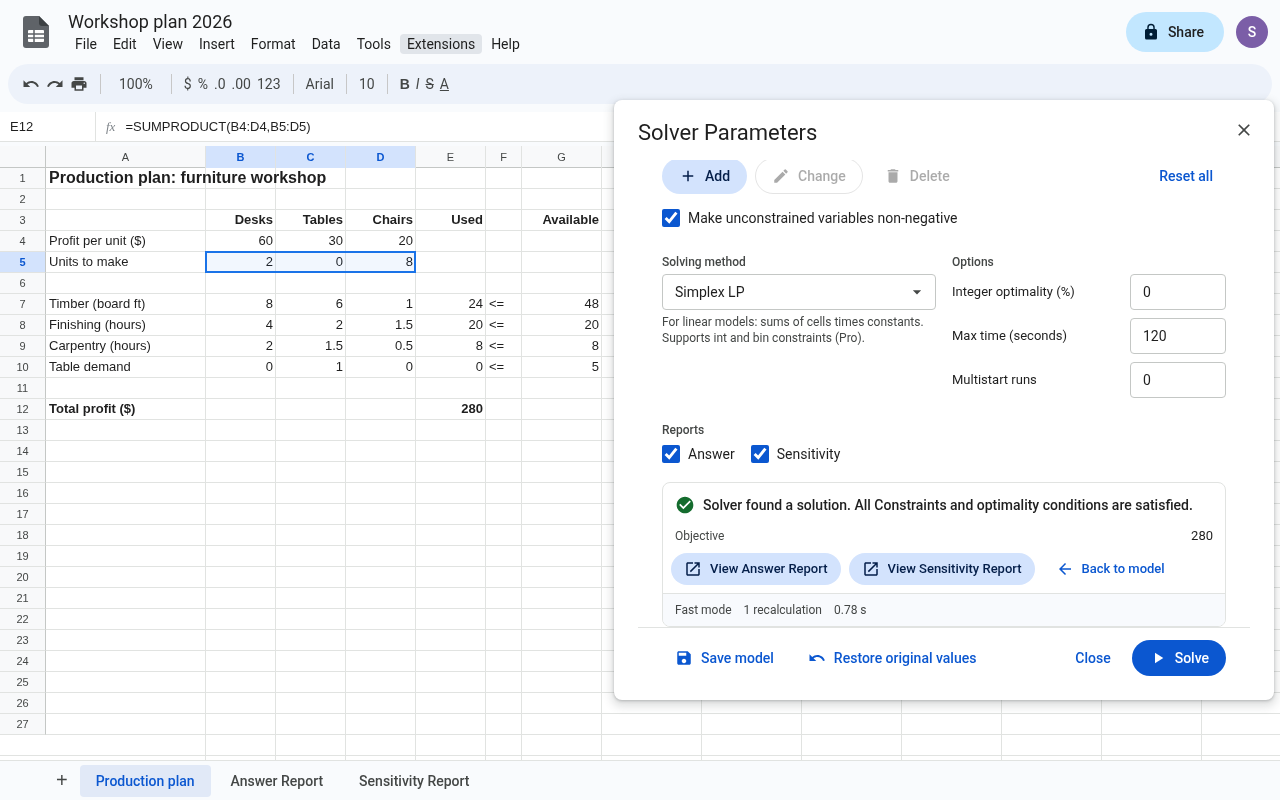
Solver
Optimise a plan without leaving the sheet
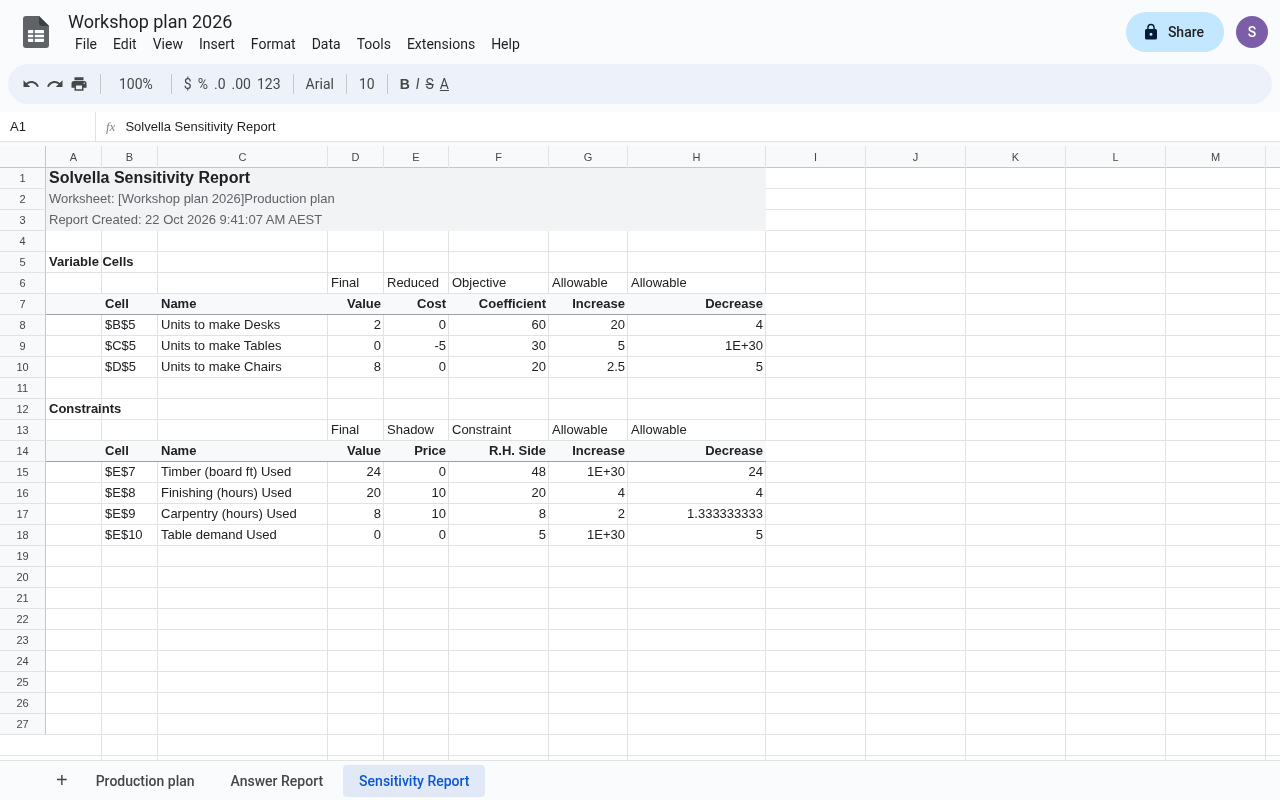
Pick the objective cell, the cells Solver may change and the limits they have to respect. Press Solve and the best values are written back into your model. An Answer Report lists every variable and constraint, and a Sensitivity Report gives shadow prices and allowable ranges.
- Small nonlinear models finish in about a second
- Keep Solver Solution or Restore Original Values
- Models are saved with the sheet
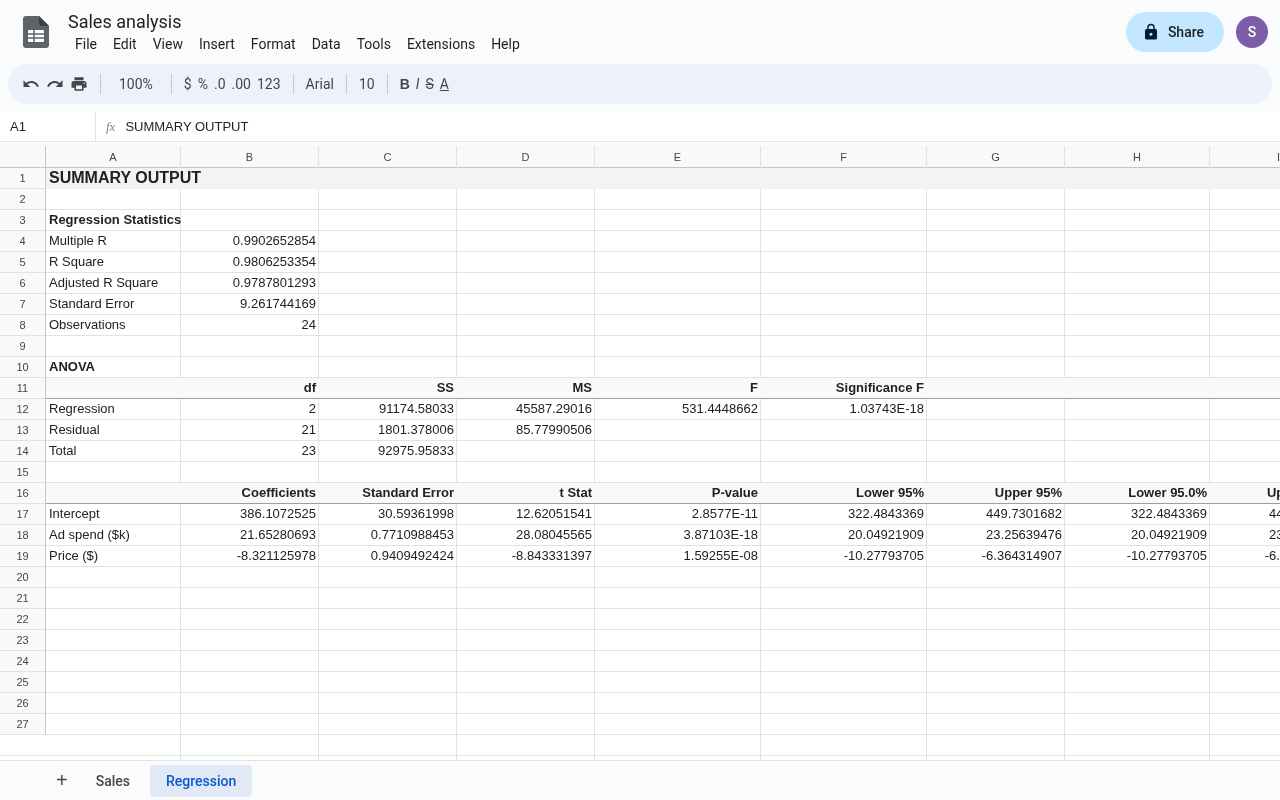
Data Analysis
Statistics output you can hand in
Choose a tool, point it at your data and get the same tables Excel produces: regression statistics, the ANOVA table, coefficients with standard errors, t, p-values and confidence limits.
- Checked against NIST reference datasets
- Labels in the first row, grouped by rows or columns
- Tiny p-values shown in full, like 2.67493E-13
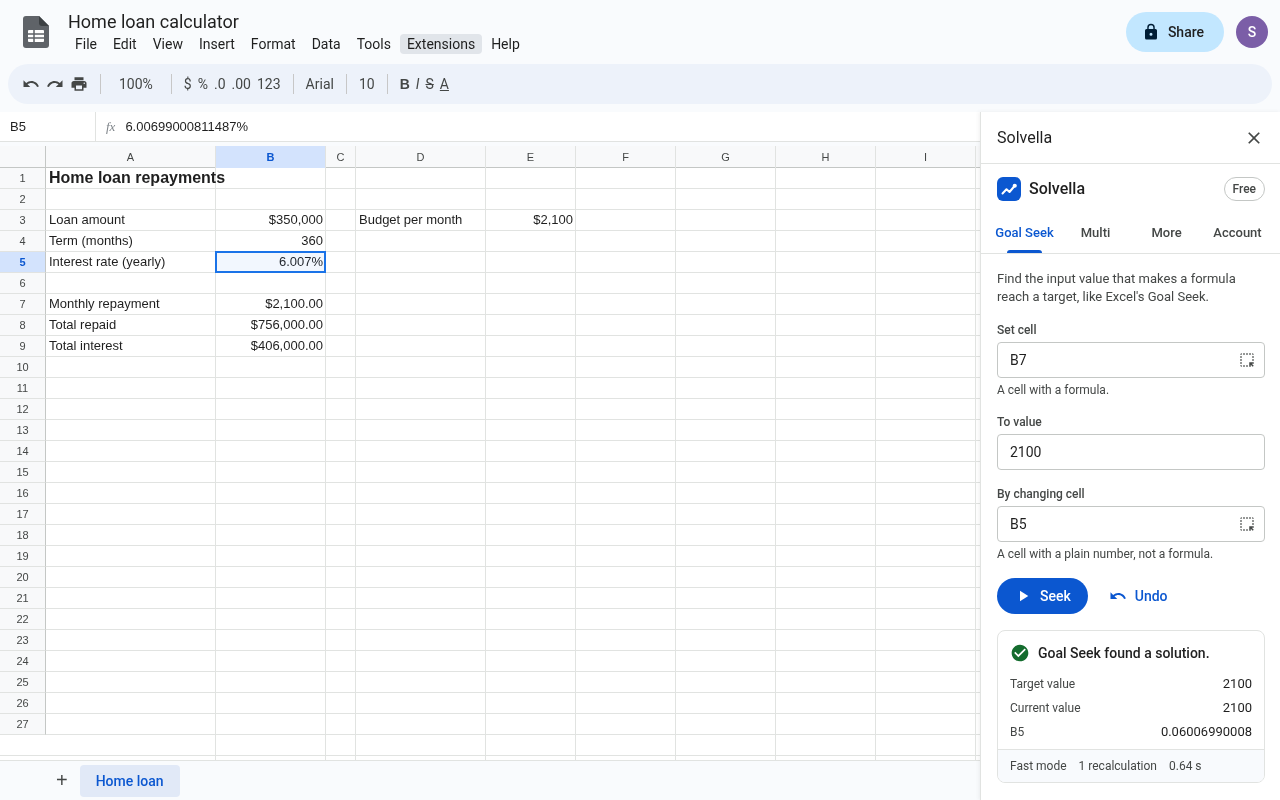
Goal Seek
Work backwards from the answer
Enter the result you want and the input to change. Solvella finds the value and puts it in the cell. Pro adds Goal Seek over a whole column, so 200 rows take about as long as one.
Your data stays in your spreadsheet
Everything is calculated by Google Apps Script inside the spreadsheet you open it in. Cell values, formulas and results are never sent to us. Solvella can't open your other files, email or Drive.
Tested against reference results
Regression and ANOVA are checked against the NIST Statistical Reference Datasets, including Longley and Wampler. Distributions and tests are checked against SciPy and published examples, and linear programs against the HiGHS solver.
Start free
Goal Seek, linear Solver with up to 15 variable cells and the standard ToolPak tools are free, with no time limit. Pro adds nonlinear and integer Solver, larger models, sensitivity reports, multi-cell Goal Seek, scenarios and full regression output.