You know the result you want, but not the input that gets you there. Example: you can afford $2,100 a month. What's the highest interest rate that keeps a $350,000, 30-year loan within budget?
Follow alongThe home loan sheet used in this guide.
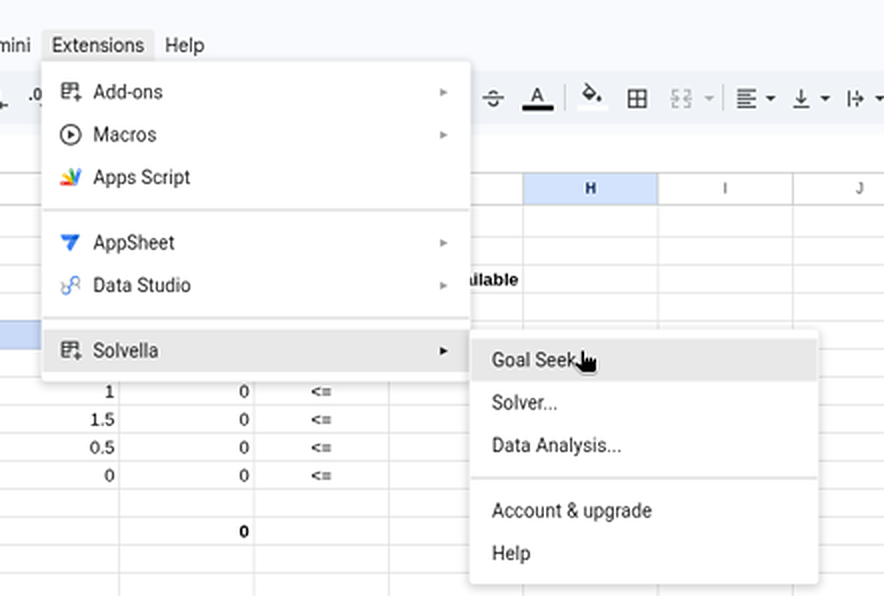
Click Extensions›Solvella›Goal Seek.... The Goal Seek panel opens on the right of your sheet.
1231 Extensions, 2 Solvella, 3 pick a tool.Enlarge
2
Find your three cells
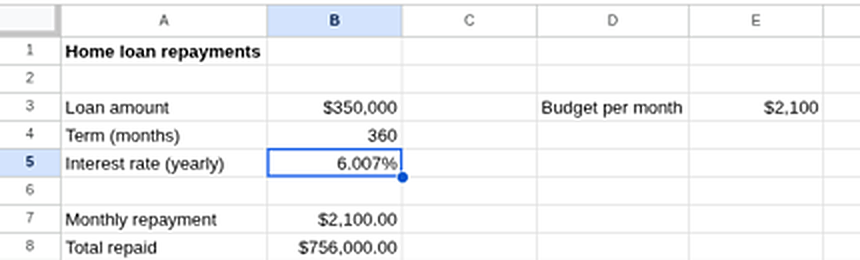
1B7 is the result: the monthly repayment. It has to be a formula.
2E3 is the number you want it to hit: $2,100.
3B5 is what Goal Seek may change: the interest rate. It has to be a plain number.
123B7 is a formula that works out the repayment from the rate in B5.Enlarge
3
Fill in the panel and press Seek
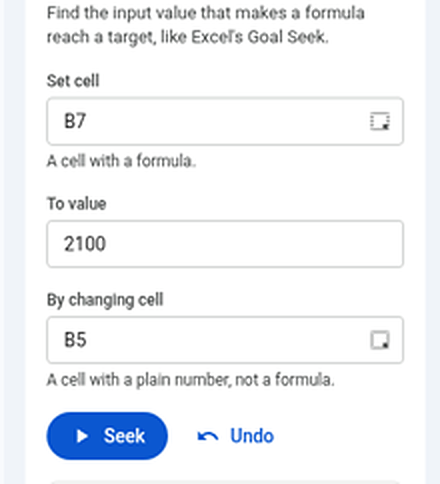
1Set cell: B7
2To value: 2100 (type the number)
3By changing cell: B5
4 Press Seek.
Shortcut: click a cell in the sheet, then the small button at the end of a box, and the address is filled in for you.
1234The Goal Seek sidebar, filled in for the loan.Enlarge
4
Read the answer
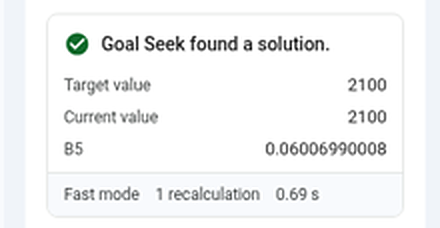
1 B5 is now 0.06007, a yearly rate of about 6.007%. At any rate up to that, the repayment stays within $2,100.
Changed your mind? Press Undo to put the old rate back.
1The answer: a yearly rate of about 6.007%.Enlarge
Got a whole column to solve? The Multi tab (Pro) does the same for hundreds of rows at once, such as the price on every row that gives a 25% margin. Goal Seek in detail